
(12/27) ANNOUNCMENT: “VERSION 2.0” Printouts are Live!
All Printouts (rulebooks, cards, maps) have been updated for Version 2.0! The “Players Guide” Page will continue to be updated on the website so make sure to check out the Downloadable Rulebook from the printouts page for the most current ruleset!
Components
These are the components you will need to start playing the game.

PLAYER TOKENS -or- D20s: Player Token to be placed on the Map representing the Player Character (PC). If using a D20 it can also be used to track a player’s health points known as KOR.
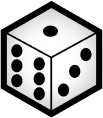
D3 -or- D6 (converted): The Action Die will be used to resolve all rolls


CHANCE TOKEN: a flip-able object with two sides for determining a Status Effects Chance with heads applying the status.
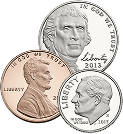
STATUS TOKEN: Assorted coins or objects given to a player to designate a currently applied status effect -or- used on the map to denote a change.

MAPS and PLAYING CARDS: Printouts for the Game Cards and Game Maps can be found on the KORxSOL Website.
PLAYERS and CLASSES
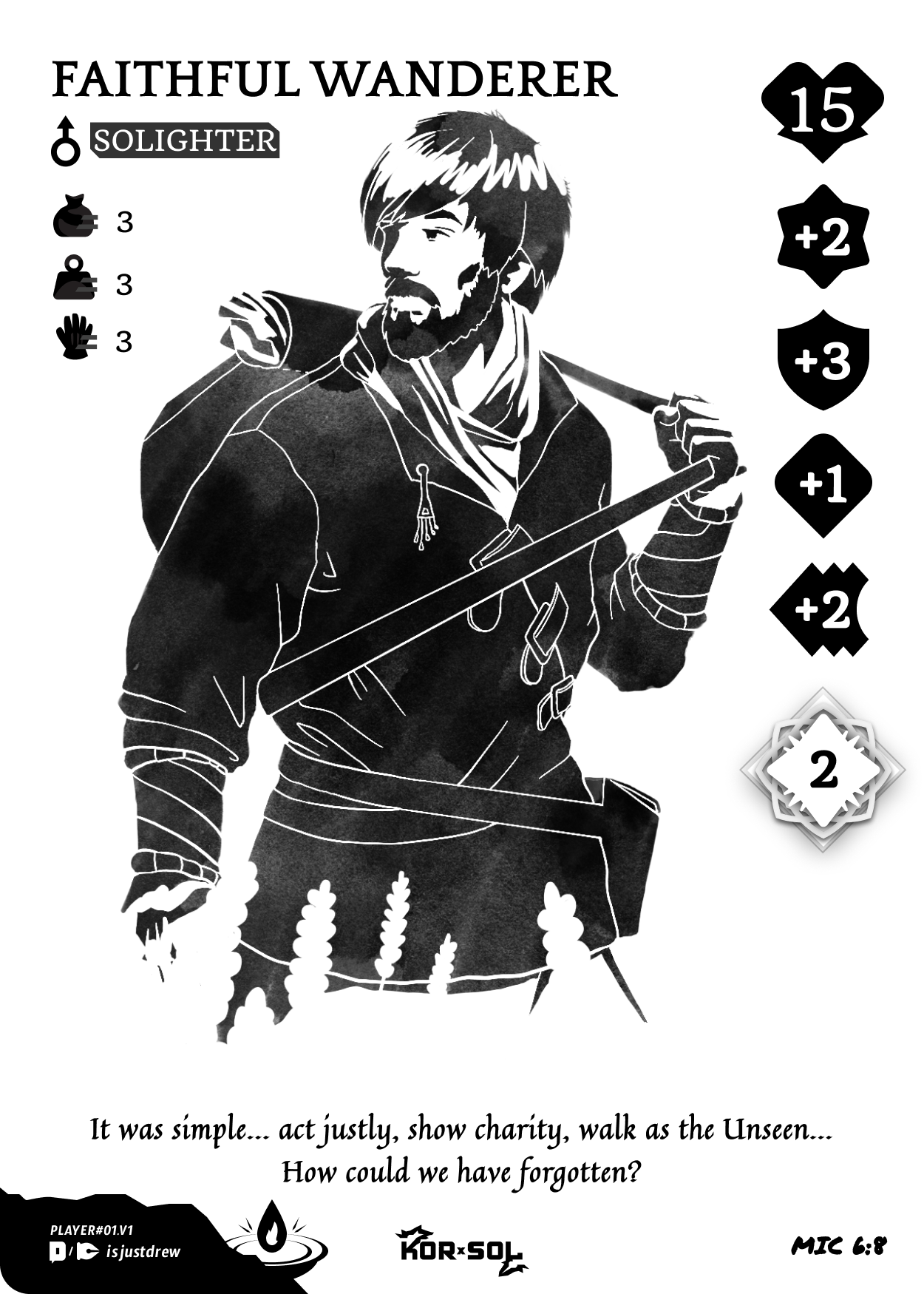
SOLIGHTER – PLAYER CHARACTERS (PCs):
Solighter Player Summery
Legends speak of the end of all things, a time when all creation went mad, and the very fabric of life began breaking apart. It was out of this darkness that the Solighters appeared and pushed back the corruption. Wielding ethereal weapons and commanding amazing creatures! It is said that these Solighters were chosen by the Unseen as vanguards, to thwart the dark and keep the corruption at bay. That is… if you can believe such things…
A Solighter represents the character that the players will use during the game. Each Solighter can have a unique combination of Traits or Attributes to add variety to encounters.
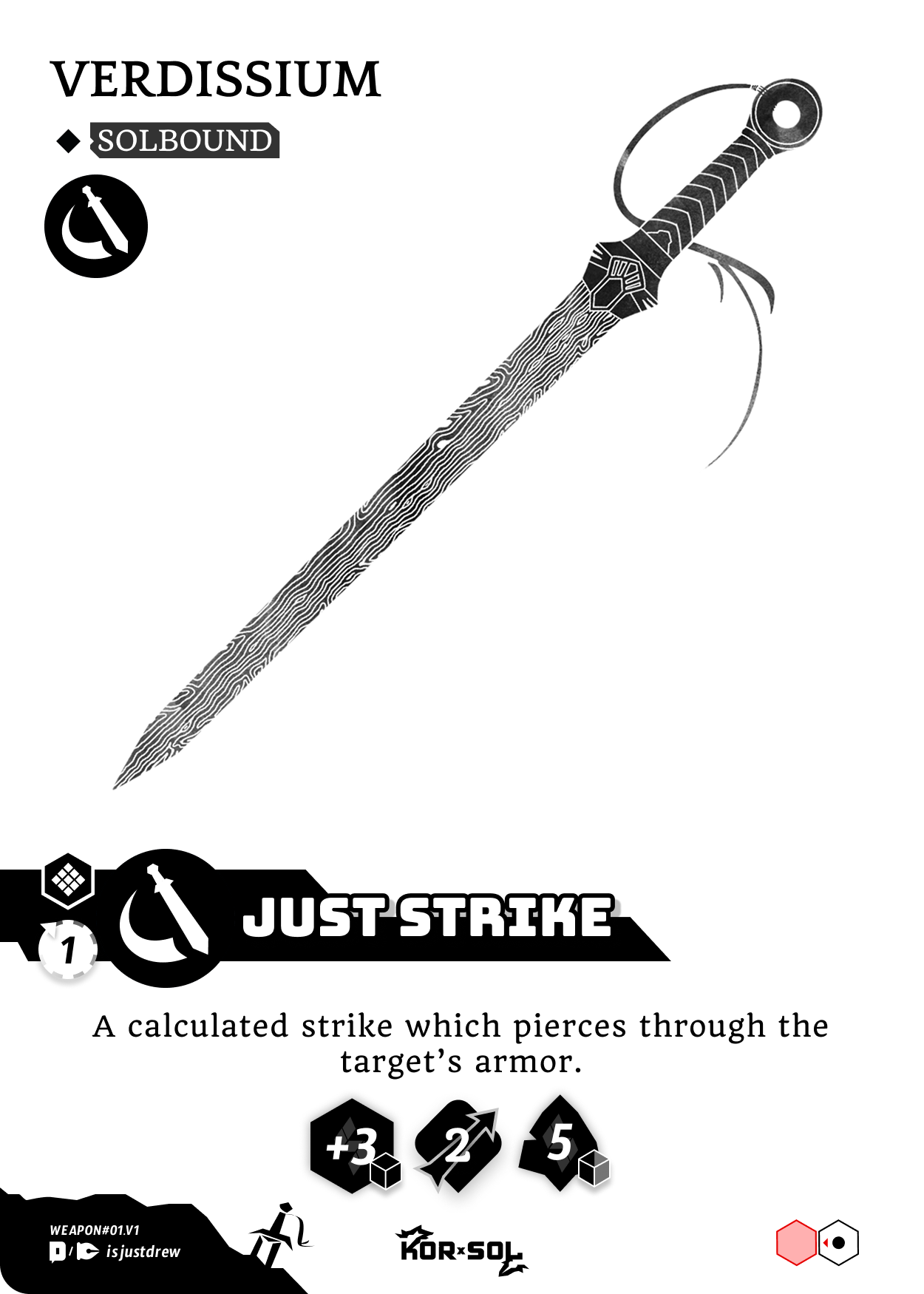
SOLBOUND WEILDER – WEAPON CLASS
Solbound Class Summary…
Forged in the Sol, a Solbound Weapon is summoned from the Unseen and wielded by a Solighter. These ethereal weapons strike at the will of the living, bringing them to exhaustion and purging corruption. It is said… if a Solighter becomes corrupted, they would plunge their Solbound into their own heart, purging themselves and shattering their Solbound…
A Solbound represents a weapon wielded by the player. When a Solbound is equipped, its’ class will designate the Solighter’s Class and provides a unique Combat Move to use by the player during combat.
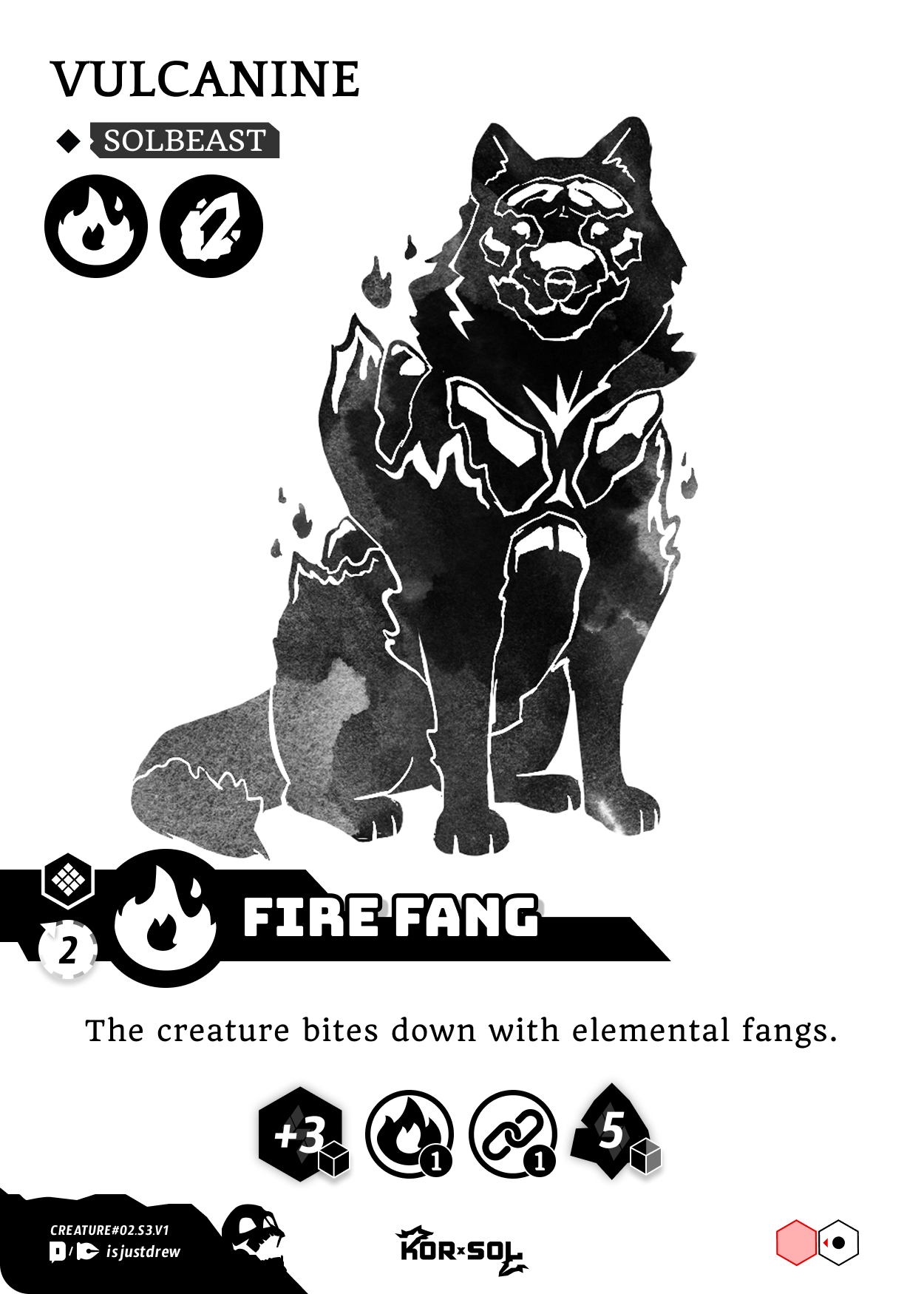
SOLBEAST ELEMENTAL – ELEMENT CLASS
Solbeast Class Summary…
For some Solighters a weapon is made… But for others, the Sol brings a loyal beast and a bond is forged. These Solbeasts can be summoned from the Unseen to give its handler command of the elements to strike at the will of the living and purge corruption. But be wary… as a Solighter becomes corrupted, so does their Solbeast. To purge corruption means the death of one for the other…
A Solbeast represents an elemental creature commanded by the player. When a Solbeast is equipped, its’ class -or- classes will designate the Solighter’s Class and provide a unique Combat Move to use by the player during combat.
Traits

INVENTORY: The amount of Items a player character can carry.

WEIGHT CLASS: The Weight-Class of the creature. In Combat weight affects Knockback and Grapple. Creature weight is on a scale 1-5 (1 = feather) (2 = light) (3 = normal) (4 = heavy) (5 = super).

ACTIONS: Designates the amount of Action Points a player can spend to use an Item or Move on their turn.
Attributes

KOR: Represents the will of endurance where X = the player’s health points. When KOR reaches (0) a player or creature collapses unconscious. KOR can be restored by Items, and some Combat Moves.
NOTE: Healing cannot bring a PC’s KOR over their starting Value.

Power: Represents the overall ability to perform feats of strength and do critical damage during combat. X = the amount of action dice rolled for a POWER_Roll.

Resistance (ATTRIBUTE): Represents the overall ability to endure or defend against any harm and block damage during combat. X = the amount of action die rolled for a RESIST_Roll.

Armor: Armor (ATTRIBUTE): Represents a physical armor worn or inherent. Armor acts just like resistance, however, if armor is successful at blocking damage it is lost until restored by an item or combat move. X = the amount of action die added to any RESIST_Roll (unless specified) for an ARMOR_Roll.
Any ARMOR rolled that is successful at blocking is “Chipped” away, reducing the Armor attribute by (-1) for every point of damage that the armor blocked, until it reaches 0.

Agility: Represents the overall ability to to react quickly -or- skillfully maneuver themselves or an object. In combat it increases the dodge chance. X = the amount of die rolled for a AGILITY_Roll.
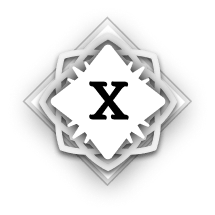
SOL: Represents the PC’s ability to tap into the Unseen, allowing them to perform extraordinary feats. Each player starts with (3) SOL Points. Before any ATTRIBUTE_Roll, the player can choose to spend (1) SOL Point (reducing the SOL attribute by -1) to add 3 action dice to a POWER_Roll, RESISTANCE_Roll, or AGILITY_Roll.
NOTE: POWER, RESISTANCE, ARMOR, and AGILITY can never go beyond a maximum value of +7, Unless “assisted” by a teammate or using SOL.
Weapon Classes

SWORD: Designates the Sword Class weapon bound to the PC. Sword wielders have access to all sword based Combat Moves. Sword wielders are versatile attackers focusing on accurate hits and adapting to the battle.
(WEAPON BONUS) Tactician: Sword classes gain 1 extra action point on their turn.

AXE: Designates the Axe Class weapon bound to the PC. Axe wielders have access to all axe based Combat Moves. Axe wielders are punishing attackers focusing on heavy damage, weakening, and manipulating their opponents through strength.
(WEAPON BONUS) Brutality: Axe classes can choose to re-roll their POWER_Roll during a damage instance.

BOW: Designates the Bow Class weapon bound to the PC. Bow wielders have access to all bow based Combat Moves. Bow wielders are ranged attackers focusing on keeping their distance and doing consistent damage.
(WEAPON BONUS) Full Draw: On their turn Bow classes can declare to “full draw” immediately before a ranged combat move is played, and convert all unused action points to increase the combat move’s damage by +1 for every unused action point.
Elemental Classes

FIRE: FLAME: Designates the Fire Element Class bound to the PC. Fire creatures are generally area of effect attackers, but with lower damage output. But don’t let that fool you. Their attacks can also inflict *Burn, which can stack and act as un-blockable damage on opponents when hit. This gives them and allies much greater damage output in combat.
(ELEMENT BONUS) Inner Fire: Fire classes are immune to *Frost and *Burn, and can step over lava tiles without triggering their effect.

MINERAL: Designates the Mineral Element Class bound to the PC. Mineral creatures are rounded attackers that play with defensive capabilities and crowd control. Many of their attacks have *Knockback and *Knockdown which can put opponents into compromising positions.
(ELEMENT BONUS) Sturdy: Mineral classes scale in a weight class 1 level higher when *Grappled -or- hit with *Knockback.

ICE: Designates the Ice Type Element Class bound to the PC. Ice Types are area effect attackers that use crowd control. Many of their attacks have frost which can reduce opponent actions, slowing them down and preventing items from being played.
(ELEMENT BONUS) Cold Feet: Ice classes can walk over water tiles as they would normal tiles. When moving into an ice tile, they can choose to *Slide or move as normal.
COMBAT MOVES, ITEMS,Artifacts
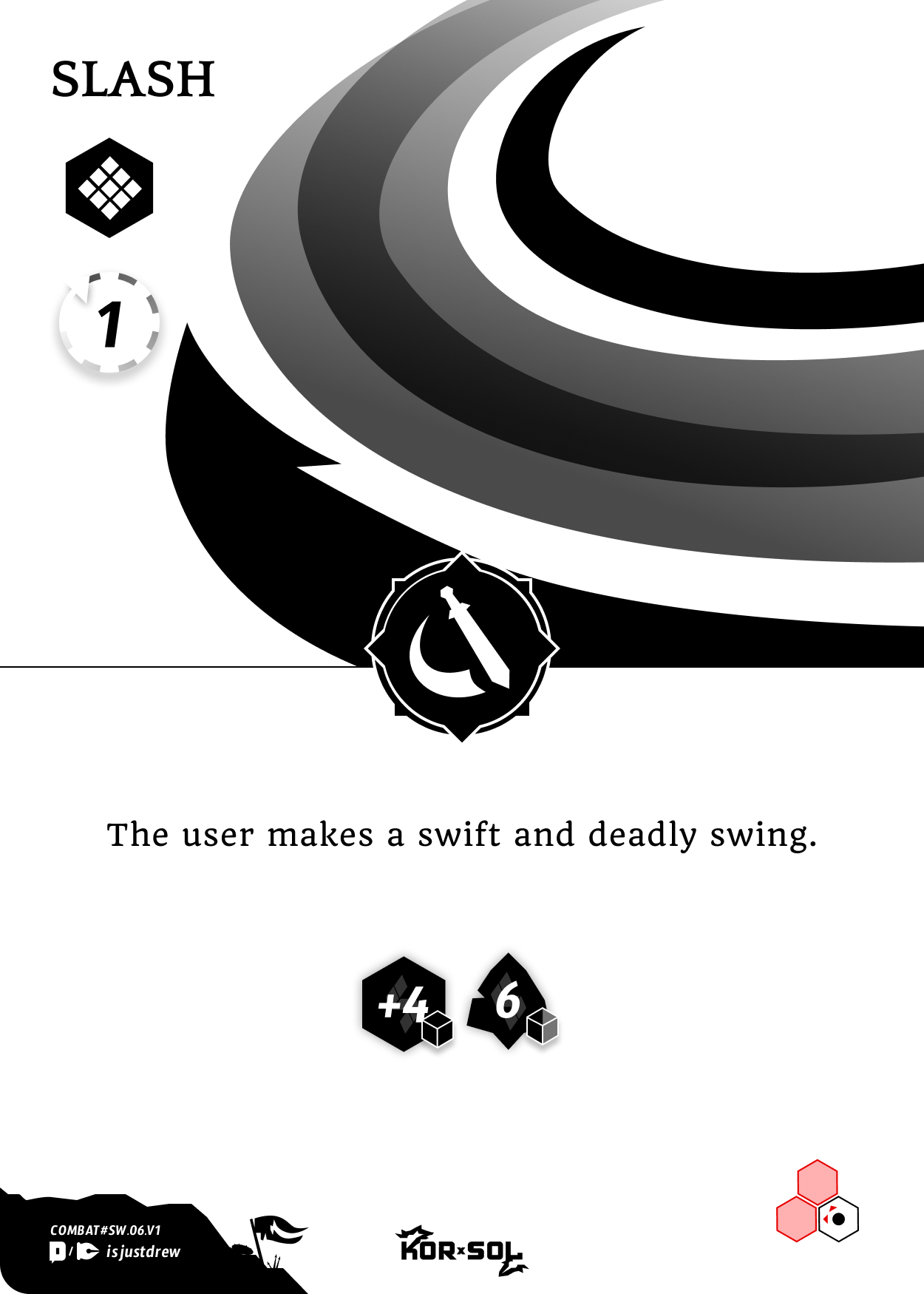
COMBAT MOVES: Combat Moves provide the user with utility and damage output to targets on the playing field. Each Solighter can only equip (3) Unique Combat Moves. Once a combat move is played from your hand, it will remain face up in your move pool for the remainder of the game.
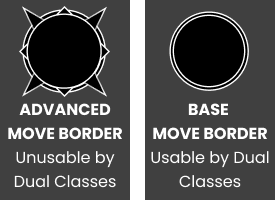
NOTE:
Advanced combat moves are shown by a star border. These combat moves are only available to a matching Single Class Solbound or Solbeast.
Base combat moves ar designated by a circular border. These combat moves are available to both matching Single and Dual Classes.
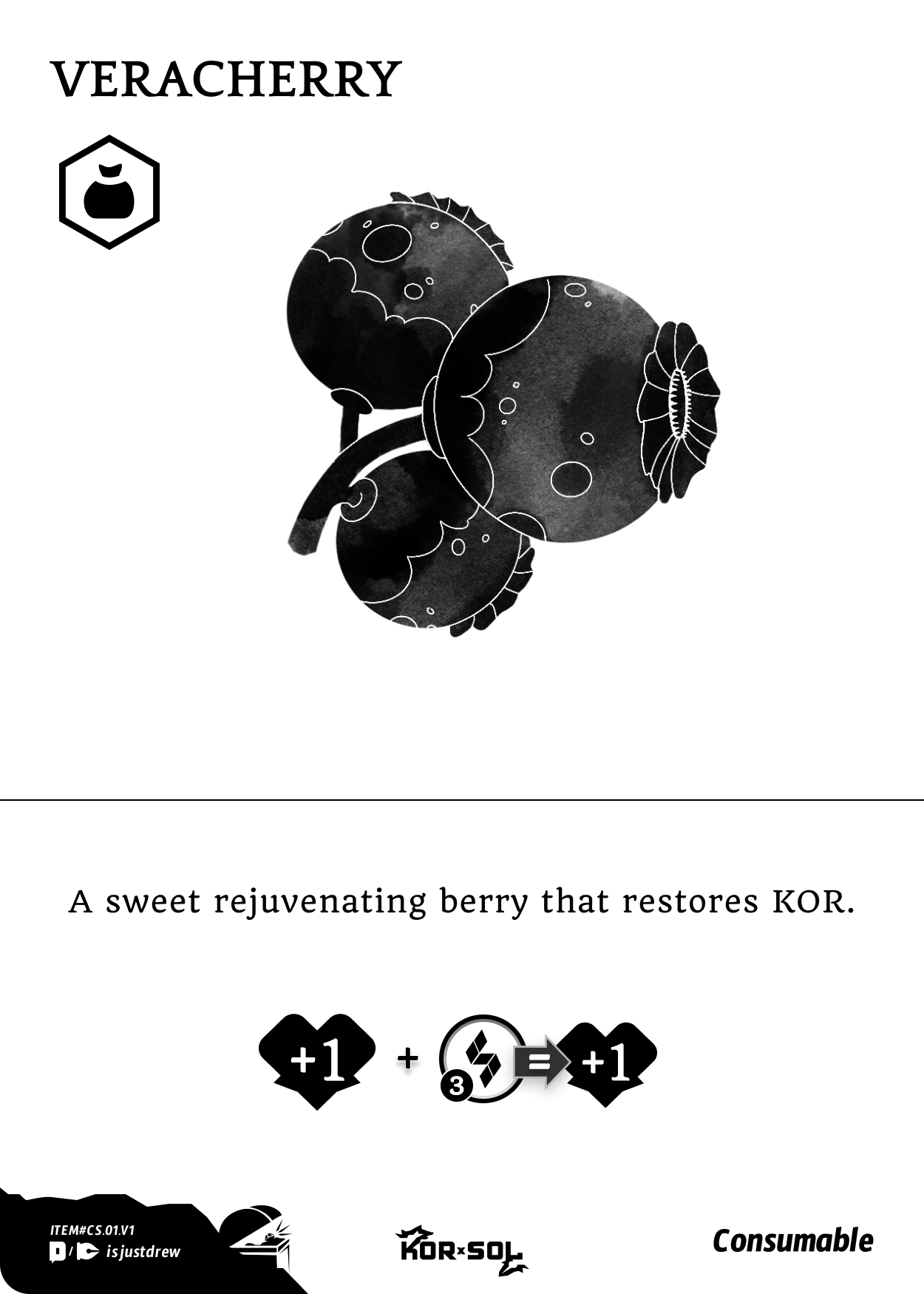
ITEMS: Items provide bonuses and effects to the Solighter when used. Items will be held and played from the player’s hand.
Item Types:
Consumable: Consumable Items are discarded after use or item cooldown.
Tool: Tool Items will return back to the player’s hand after use or item cooldown.
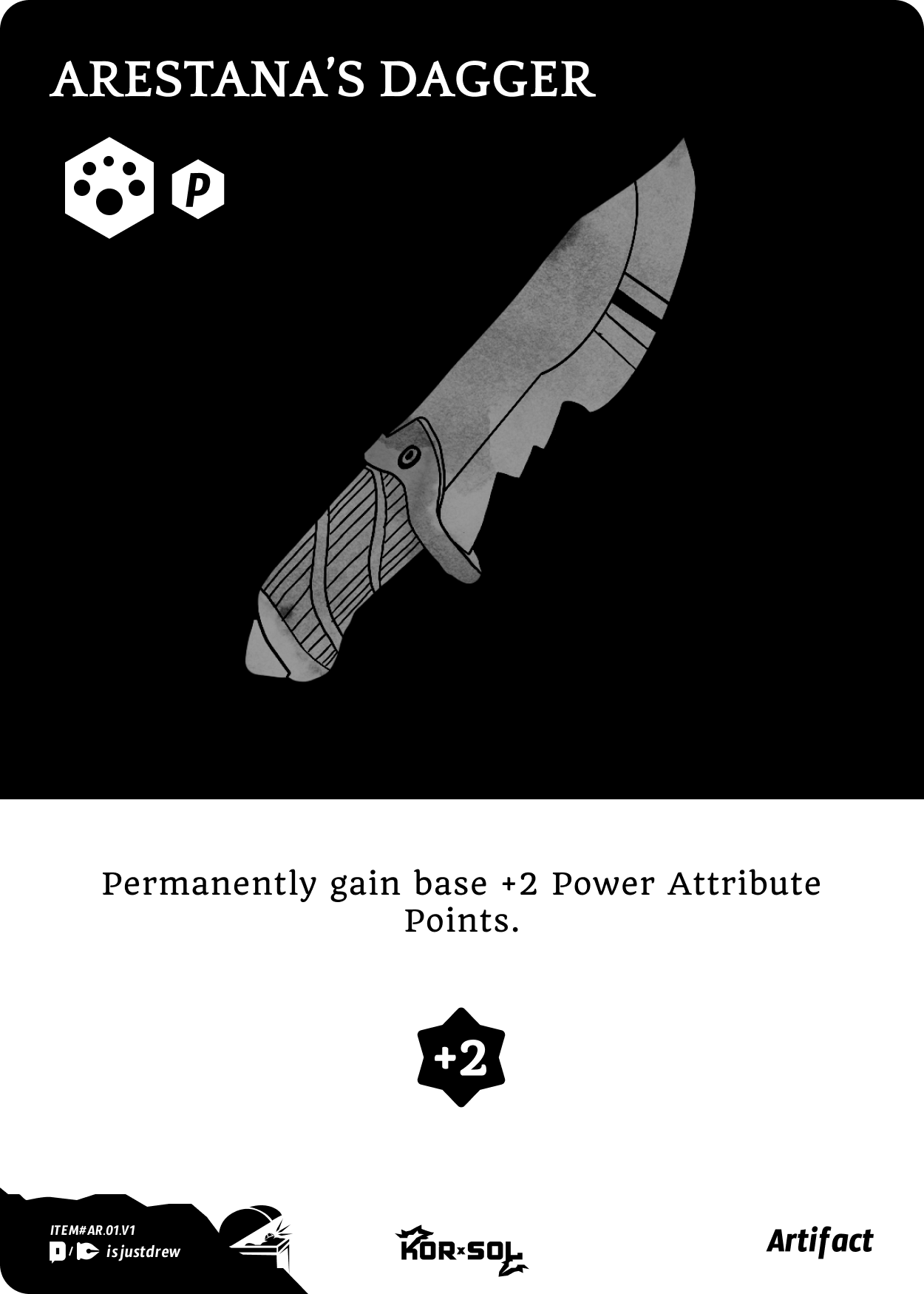
ARTIFACTS:Artifacts act like permanent items that can give the player unique abilities or enhance their Attributes or Traits during the game. Artifacts are placed face up on the table along with the Solighter and (Class) Solbound or Solbeast cards at the game start.
Artifact Type:

Passive: (P) Card effects are always active.

Active: (A) Card effect may be activated by the player during their turn at no action point cost, and will go on cooldown. Artifacts on cooldown cannot be activated.
Combat Move Types

MELEE ATTACK: Indicates a melee move that cannot reach past Cover.

BUFF: Indicates a move that will only effect the user or allies within the attack area. Buffs can change the user’s or allies attributes and/or capabilities. Changes remain active once the Combat Move goes ON Cooldown and become inactive once the Combat move goes OFF Cooldown. Can reach past Cover.

RANGE ATTACK: Indicates a ranged move that can reach past Cover.

DEBUFF: Indicates a move that will only effect a enemy within the attack area. Debuffs can change a target’s attributes -or- capabilities. Changes remain active as long as the Combat Move is on Cooldown. Cannot reach past Cover.
Cooldown Timer

COOLDOWN TIMER: When a Combat Move is used, it goes on cooldown by a step equal to the (X) number shown. Cooldown Indicates how many turns an Attack requires before it can be used again (or) how long a Buff/DeBuff effect will last for the target.

Attack Area Indicators

The Black Dot Indicates the USER’S position

The Red Arrow Indicates the direction(s) an attack from the user will move.

A Dot with a White border indicates a “Collision Trigger”. In the example, if the ground, target, or an obstruction is HIT, then it will trigger an attack area shown by the white border.

A Red Field Indicates the area an attack will hit. Any creature in the area becomes the TARGET and will trigger the Combat Event.

A Red Dot Indicates an attack that has Collision. Once the attack would enter an area with a target or obstruction it Collides, triggering the Combat event against the target, and stopping its movement, unless the target dodges.

A Blue Field Indicates an attack area for a Buff or Debuff. Buffs will only target/effect the User or Allies in the attack area, and DEBUFFS will only target/effect Enemies in the attack area.
A Black Arrow Indicates an attack where the USER is moving to a new position. The User will move their player token until it Collides with a target or obstruction, triggering the Combat Event. If the target Dodges the user will continue to move to the extent shown by the attack area.

ATTACK TARGET: Indicates a target count and attack range for a move

Target Count: Indicates the amount of targets that a move selects.

Attack Range: Indicates the amount of spaces away that a target can be select.
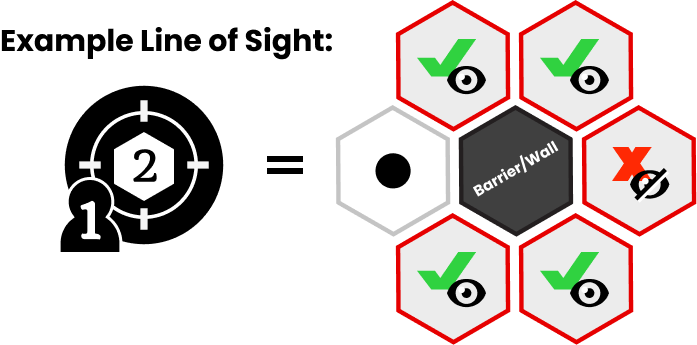
Combat Move INDICATORS
HIT INSTANCE: Indicates the instance for a User’s chance of hitting their target(s) versus the Target’s ability to avoid being HIT.
First: The User will make a HIT_Roll where (X) = the amount of action dice rolled. Total up all Success’s and the result is the Hit Chance.
Second: The Target will make an AGILITY_Roll totaling up their Success’s. The result is their Dodge Chance.
Successful HIT: IF the User’s Hit Chance successes is greater-than or equal-to their targets number of successes, THEN they have HIT their target and continue to follow the remaining indicators on the Combat Card.
Successful DODGE: IF the target’s Dodge Chance is greater-than the Users Hit Chance number, THEN they have successfully Dodged the attack. The target will immediately attempt to move 1 space to an open, adjacent, and legal tile outside the attack area. If successful the combat move will be immediately resolved for the user with exception for certain indicators that still remain active after a failed HIT designated by a (*). IF the target cannot legally move to a tile outside the attack area, even after dodging, then the attack is an automatic HIT, rolling to dodge may be skipped.
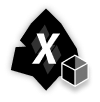
DAMAGE INSTANCE: Indicates the instance for how damaging a User’s attack can be Versus the Target’s ability to mitigate that damage.
First: The User will make a POWER_Roll totaling up their Success’s. Each success is a Critical Hit adding +1 to the Base Damage of (X) Shown on the Damage Instance. The Result is the total Damage an attack can do to the target(s).
Second: The Target(s) will make a RESIST_Roll (remembering to include armor) and total up their success’s. Every success = 1 point of damage Blocked.
Subtract the number Blocked from the number of potential Damage Dealt and the result is the final Damage Dealt, reducing the target(s) KOR by that total.

MOVEMENT: Move tile spaces up to the amount indicated in (X). * Can still be used after a combat move that fails to HIT.

CHANCE: Indicates to flip the chance token (X) times, with a success on heads.

STATUS EFFECT UP/DOWN: Temporarily Increase or Decreases the Amount of times a status effect is flipped for by (X), until the BUFF/DEBUFF comes off cooldown

ATTRIBUTE: Increase or decrease the attribute Indicated by (X), until the combat move goes on cooldown. ARMOR will stay until chipped like normal. Any changes to KOR will be immediate and keep the change.

ATTRIBUTE UP/DOWN: Temporarily Increases or Decreases the User’s or Target’s Attribute by (X), until the BUFF/DEBUFF comes off cooldown.

POWER_ROLL SUCCESS: Indicates a successful POWER_Roll.

RESIST_ROLL SUCCESS: Indicates a successful RESIST_Roll.

ARMOR_ROLL SUCCESS: Indicates a successful Armor_Roll.

AGILITY_ROLL SUCCESS: Indicates a successful Agility_Roll.
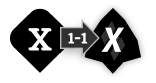
EXCHANGE: The user can choose to exchange (X) Indicator for (X) Indicator at a rate shown by the table. (example: shows (1) armor can be exchanged for (1) damage.

CONVERSION: This takes place automatically and converts one thing into another during the combat move. (example: shows that a user’s successful POWER_Roll will be replaced by (X) amount of Base Damage.)

CONDITION: This takes place automatically, when a condition is met by the user then they gain the result. (example: Shows IF a successful RESIST_Roll is made, THEN gain armor by (X) amount.)

RESISTANCE PIERCING: Prevents the target from rolling their resistance during the combat move.

ARMOR PIERCING: Prevents the target from rolling their armor during the combat move.

SUNDER: Immediately Chips the target’s Armor by (X).
THREAT: Opponents must priorities attacking the target with active threat, IF they are standing next to an Ally.

WALL: Creates a Wall obstruction. Place a token on the map in the attack area(s) with the white dot to designate the wall. Walls cannot be moved through or climbed on. Attacks cannot go through a wall, but walls can be HIT. Any attack that HITS the wall will destroy and remove it from the map. (*) Can still be used if combat move fails to HIT.

BLESS: Instead of Damaging Allies, If an ally is in the attack area they will be *blessed. Give the ally +1 KOR, and immediately *Cleanse all Status Effects. IF no ally is hit, give the effects of *bless to the user.
IF no ally is hit, give the effects of *bless to the user.

DOUBLE HIT: Move Indicators that appear after *Double Hit will immediately repeat once more if there is still a target in the attack area after the Combat Moves first attack is completed.

BUSTER: Designates that the Combat Move will ignore and remove any cover or wall in its attack area.

RELEASE: Designates a combat move that, when used, immediately releases the player from grapple or pin. Can be used while *grappled -or- *pinned.

CHARGE: Combat Move Indicators that appear after the *Charge indicator will be performed IMMEDIATELY on the players NEXT TURN -and- in place of the players “combat” on that turn. Do not put this combat move on cooldown while it is charging until completed on the next turn.
IF the player who is *charging moves their token, is *grappled, *knockbacked, *knocked down, *feared, or *frozen before their turn, then the charge is broken, the move is immediately set on cooldown. They resume their next turn as usual.
Status Effect Indicators

KNOCKBACK: IF a creature is hit with a move that has *knockback, THEN the creature will be hit away in the opposite direction at a distance based on weight class.
If: 5 vs (5,4) = 1 space / If: 5 vs (3) = 2 space / If: 5 vs (2) = 3 space / If: 5 vs (1) = 4 space
If: 4 vs (3,4,5) = 1 space / If: 4 vs (2) = 2 space / If: 4 vs (1) = 3 space
If: 3 vs (5) = 0 space / If: 3 vs (2,3,4) = 1 space / If: 3 vs (1) = 2 space
If: 2 vs (4,5) = 0 space / If: 2 vs (1,2,3) = 1 space
If: 1 vs (3,4,5) = 0 space / If: 1 vs (1,2) = 1 space
Knockback (Into Creature / Obstruction): IF the creature that is hit away by knock back would make contact with a “Creature” or “Obstruction” on its path, this is known as “Collision”
a. Collision With Creature: IF a creature hit by *knockback would collide with another creature; the creature that would be collided with will make an AGILITY_Roll, with any success allowing them to dodge the incoming creature. If their is no success they will take un-blockable damage = to the incoming creatures weight class.
b. Collision With Obstruction: IF a creature hit by *knockback collides with an Obstruction then they will take 2 points of un-blockable damage.
Knockback (Out of Bounds): IF the creature that is hit away would go out of the maps boundaries, then Flip a Chance Token. On heads then the creatures collides with a Full-Obstruction (see Collision With Obstruction above). On Tails the creatures is placed back in-bounds on any open and adjacent tile from where they were knock out of bounds.
Knockback (Off of Height): IF the creature that is hit with *knockback would fall to a tile with a height difference then they will take un-blockable damage equal to the distance between the starting height tile and ending height tile. (example: a creature started on a tile with a height of (4) and was knocked back to a tile with a height of (1). Their are two heights between Height (1) and Height (4) so the creature will receive 2 points of un-blockable damage.)

KNOCKDOWN: IF HIT then the target is knocked down. Target’s AGILITY will be -1 Until their turn. On the targets turn the player must use (1) action point to get-up. A successful dodge before the player’s turn will clear *knockdown.

RELEASE: Designates a combat move that, when used, immediately releases the creature from grapple or pin. Can be used while *grappled -or- *pinned.

GRAPPLE: the target flips a chance token equal to (X) times as indicated on the status effect. If Heads then the target is *Grappled.
On Your Turn While Grappling:
1. Move Action while Grappling: While grappling a target, you may perform the following:
a. Move: IF the grappled target’s weight is less than or equal to the grappling users weight, THEN the user can use (1) action point to move a space while still holding onto the creature.
b. Pivot: IF the grappled target’s weight is less than or equal to the grappling users weight, THEN Grappler can pivot the grappled creature to a open space around itself at no cost.
c. Release: Releases the grappled target at no cost. The creature can then perform any action as normal.
Note: IF the target is Moved or Pivoted to a tile whose height difference is less than (1) from the users starting tile, THEN the target is immediately released and falls taking un-blockable damage equal to the distance between the users starting height tile and the targets ending height tile. (example: user is grappling a creature and is standing a tile with a height of (3), and then moves the target over to a tile with a height of (1). There is one height difference between Height (3) and Height (1) so the creature will be released automatically and receive 1 point of un-blockable damage.)
Note: ITEMS are not usable by a player maintaining a grapple.
2. Combat While Grappling: If still holding the target, instead of performing the normal Combat action, the grappler will make a POWER_Roll, with each success dealing 1 point of un-blockable damage to the grappled target. User maintains the grapple.
On Your Turn While Grappled:
Grappled players must be *released before a normal action or combat (with exceptions) can be used. Instead the following they will take the following action.
1. STRUGGLE: Use (1) action point to flip a Chance Token equal to the number indicated by your Power. If any successes then you are released from grapple, and can resume your turn as normal.
NOTE: If you have a Combat Move or Item with *release, you may use it as your Action. Once resolved you can resume movement.
Attacked While Grappling or Grappled:
IF the grappling creature is a target for a combat move, THEN the grapple is immediately released. Resolve combat as normal.
IF only the Grappled Creature is the target, THEN the Grappled creature’s Agility is reduced by (-3). IF their is no chance of a successful AGILITY_Roll then they will resolve the attack as an automatic HIT, with the creature immediately *released after the attack. IF the creature can make and is successful on their AGILITY_Roll then they are released and resolve the dodge as normal.

PIN: Target flips a chance token equal to the number indicated on the Status Effect . If success, then the target is *pinned and unable to move from their current tile.
On the target’s turn they are unable to use action points or use movement from a combat move to move. Once the player’s turn has ended -or- if a successful dodge is made before the player’s turn, then the *Pin will clear.
Note: Items and Combat moves are still available to use.

BLINDED: The Target gains *Blinded. a creature with blinded has their HIT CHANCE reduced by -2 until the end of their turn.

TRUE SIGHT: The User gains true sight. A creature with True Sight has their HIT CHANCE increased by +3.

BURN: Target flips a chance token equal to the number indicated on the Status Effect . For each Success add (1) Stack of burn to the target.
Burns can stack up to (3) times. When a target with *burn is HIT, they will take 1 additional un-blockable damage for each stack of burn.

FROST: Target flips a chance token equal to the number indicated on the Status Effect . For each Success add (1) Stack of frost to the target.
Each stack of frost reduces the targets Action Points by -1 at the start of their turn. At the end of their turn remove 1 stack of frost.
IF the stacks equal or are greater than the targets action points at the start of their turn then they are *frozen and unable to take their Action Phase, go straight to Cooldown Phase. Once a target is frozen, remove all stacks of frost at the end of their turn.

FEAR: Target flips a chance token equal to the number indicated on the Status Effect . For each Success add (1) Stack of fear to the target.
Fear can stack. At the start of a players turn, for each stack of Fear they have acquired, they must spend (1) action point to move away from the creature who gave them Fear. If there is any remaining Fear, this is cleansed at the end of the player’s turn.

CLEANSE: Removes all stacks of the identified Status Effects.
PLAYING FIELD
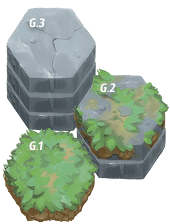
G.1: (Ground) Terrain with a height of (1).
G.2: (Ground) Terrain with a height of (2).
G.3: (Ground) Terrain with a height of (3).
ECT…

L.1: (Lava) Terrain with a height of (x). Upon entering this tile the player will flip a chance token. IF heads the creature receives (1) stack of *burn. Fire Classes are *immune to the effect.
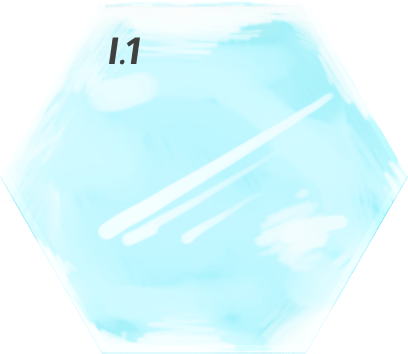
I.1: (Ice) *Sliding: When a player enters an Ice Tile, they will continue to move across the tile in the direction from which they entered until they enter a tile with a different terrain, else if they cannot legally move to the next tile they will stop on the ice tile before the tile they cannot enter.
Ice Classes can slide -or- move freely without sliding on ice.
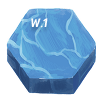
W.1: (Water) Terrain with a height of (x). Upon entering or starting in a water tile, have your action points reduced by 1. Water Classes receive their movement bonus on this tile. Ice Classes receive their movement bonus on this tile.
IF a creature falls from a hieght onto a water tile, they will not take damage.
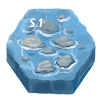
S.1: (Shallows) Terrain with a height of (x). traversable by players. Water Classes receive their movement bonus on this tile.
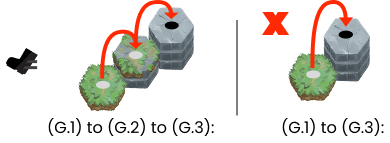
Movement: Players can legally move from their current tile to another open and adjacent tile with equal height -or- (1) height more -or- (1) height less than where the player is moving from.
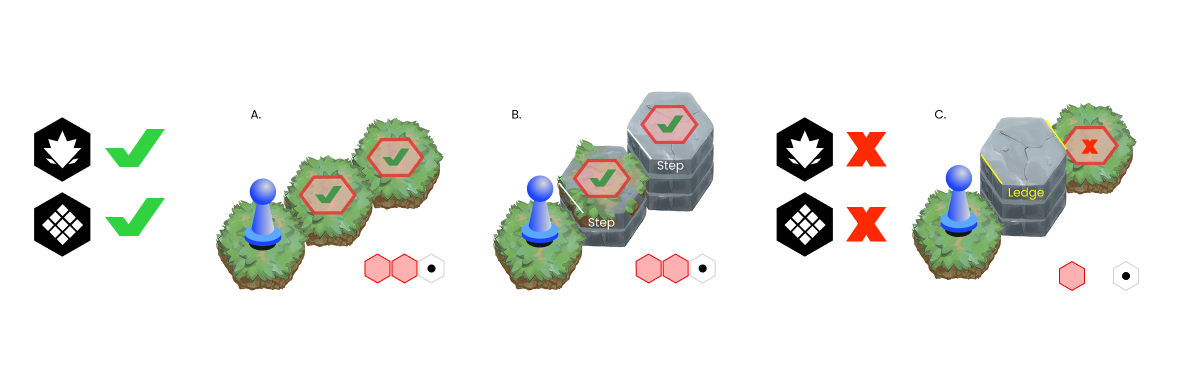
Example A: Even Ground
Example B: Any tile edge that has a height difference of (1), is considered a *step. Steps are an even terrain gradation that can allow attacks to pass over uninterrupted.
Example C: *Obstructions are terrain tiles with a height of at least (2) between the player and a target, preventing line of sight and attacks from reaching. Any tile edge that has a height difference of (2) or more, is considered a *ledge.
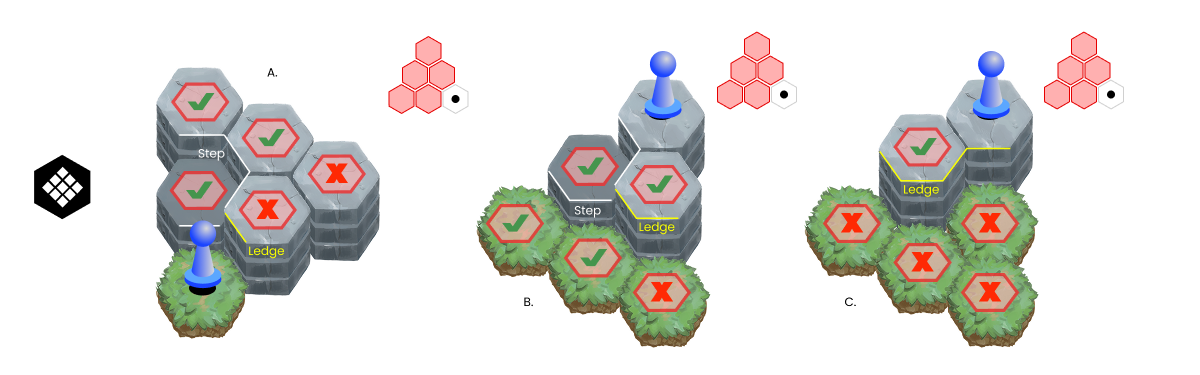
Example A: Melee attacks up steps and up to a ledge.
Example B: Melee attacks down steps and away from but towards a ledge.
Example C: Melee attacks down from a ledge.
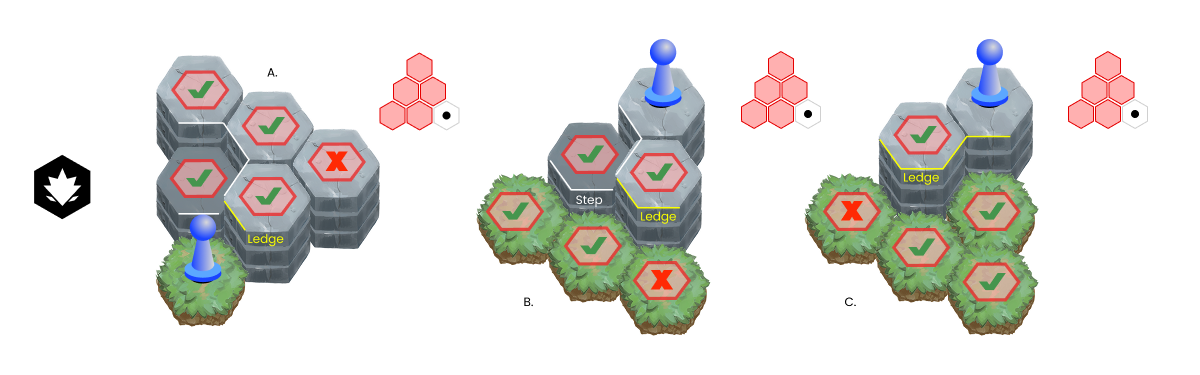
Example A: Ranged attacks up steps and up to a ledge.
Example B: Ranged attacks down steps and away from but towards a ledge.
Example C: Ranged attacks down from a ledge.
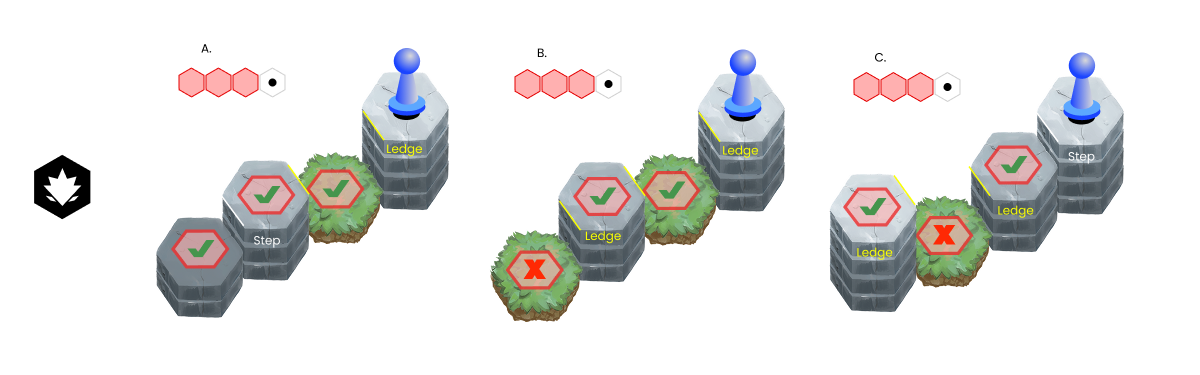
Example A: Ranged attack from a ledge traveling into a Ledge of equal -or- (1) height lower -or- (1) height higher from player height then towards a (step).
Example B: Ranged attack from a ledge traveling into a Ledge of equal -or- (1) height lower -or- (1) height higher from player height then towards a (ledge).
Example C: Ranged attack away from but towards a ledge of equal -or- (1) height lower -or- (1) height higher from player, then traveling to a ledge of equal -or- (1) height lower -or- (1) height higher from previous ledge.
HOW TO PLAY
1. GAME SET-UP:
A. Choose a Game Mode ( either: 1v1 or 2v2 ) and have each player build their Solighter. Instructions for building a player character can be found here: (Game Modes and Building Solighters).
B. Choose and Place a Game MAP in the center of the playing field.
C. Place Player Tokens on the map with opposing teams on opposite sides of the map.
D. Reveal Solighter Cards (Player Character), Solbound or Solbeast (Class), and Artifact.
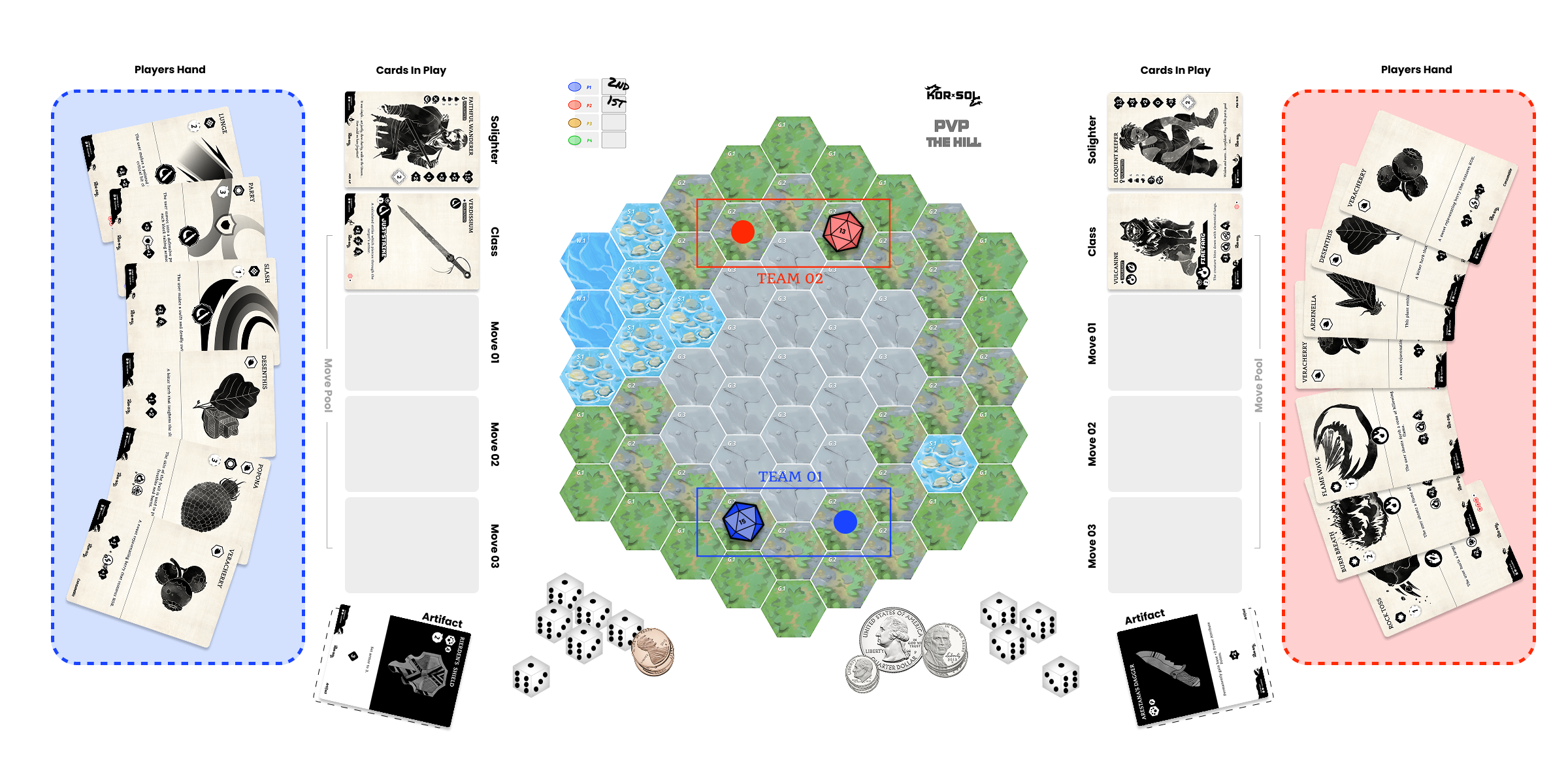
2. TURN ORDER:
Each Player make an AGILITY_Roll by rolling dice equal to the number listed on your Solighters Agility Attribute. The player with the most successes goes first, the next most second, and so on… If there is a tie the player with the highest base AGILITY wins, with the next highest going after. If their is still a tie, have the tied players AGILITY_Roll again.
3. ON YOUR TURN
There are Two Phases to each turn: ACTION PHASE and COOLDOWN PHASE.
ACTION PHASE: There are four types of actions that can be performed each turn, and these actions can be used in any order:
A. Movement: Spend (1) Action Point (Hand Icon shown on the PC’s card) to move to one adjacent and open space. Players can move through ally’s as long and they do not end on the same space as an ally. Review the playing field for more information on movement and terrain indicators.
B. Use Items: Spend (1) Action Point (Hand Icon shown on the PC’s card) to Use an Item from a player’s Inventory on themselves or on an adjacent target. Any *Consumable Items are discarded after use or cooldown. See Items for more details about item types.
(*) Activate Artifacts – If you have an artifact that can be activated, it can be played during your Action Phase and will go on cooldown once used, if any is applied.
C. Combat: A player can only use one combat move per turn, and there is no cost. The Player can use a COMBAT MOVE by moving it from their hand to their move pool -or- By selecting a combat move that is already in their move pool and that is not currently on cooldown, then follow the steps below:


(02) Identify where the attack will hit and any creatures in the attack area. If a creature is in the attack area then they are a target.
Note: Allies in an attack area are also considered a target, this is known as friendly fire.
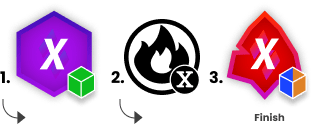
(03) The user begins the attack sequence of the combat move starting left to right and completing each indicators action before moving to the next Indicator. Once completed your Combat Move is resolved.
COOLDOWN PHASE: Set any Combat Moves or Items used during during your turn ON Cooldown -and- any previously used combat moves or items that are currently on cooldown, one-step OFF Cooldown.

4. TURN END:
A turn ends when the cooldowns have been set and the next player in the turn order begins their turn, and so on…
5. GAME END:
The Game Ends when all opposing team payer character’s KOR Reach 0.
Let us know how your game experience was?
